
AI Control & Analytics
Approve, block, track spend, and prove AI actions.
One policy, approval, budget, and signed-receipt model for every consequential AI action your company takes. Why AI control & analytics.
Or one-liner: npx blacklake serve
Works with any MCP-compatible client, plus
- Claude Code
- ·
- Cursor
- ·
- Codex
- ·
- Claude Desktop
- ·
- Windsurf
- ·
- Cline
- ·
- Continue
- ·
- GitHub Actions
Why AI Control & Analytics
The control plane and the ledger, alongside finance and security.
As AI does more consequential work, two things have to become infrastructure: the controls that decide what runs, and the analytics that prove what did. BlackLake is both: the control plane and the ledger for every AI action your company takes.
How BlackLake works
Capture, govern, cost, prove: one ledger for every AI action
BlackLake sits between the AI tools doing real work (agents, coding tools, CI, shell sessions, cloud automation, SDKs, and durable workflows) and the systems they touch.
Step 01
Capture
Every AI action, wherever it originates.
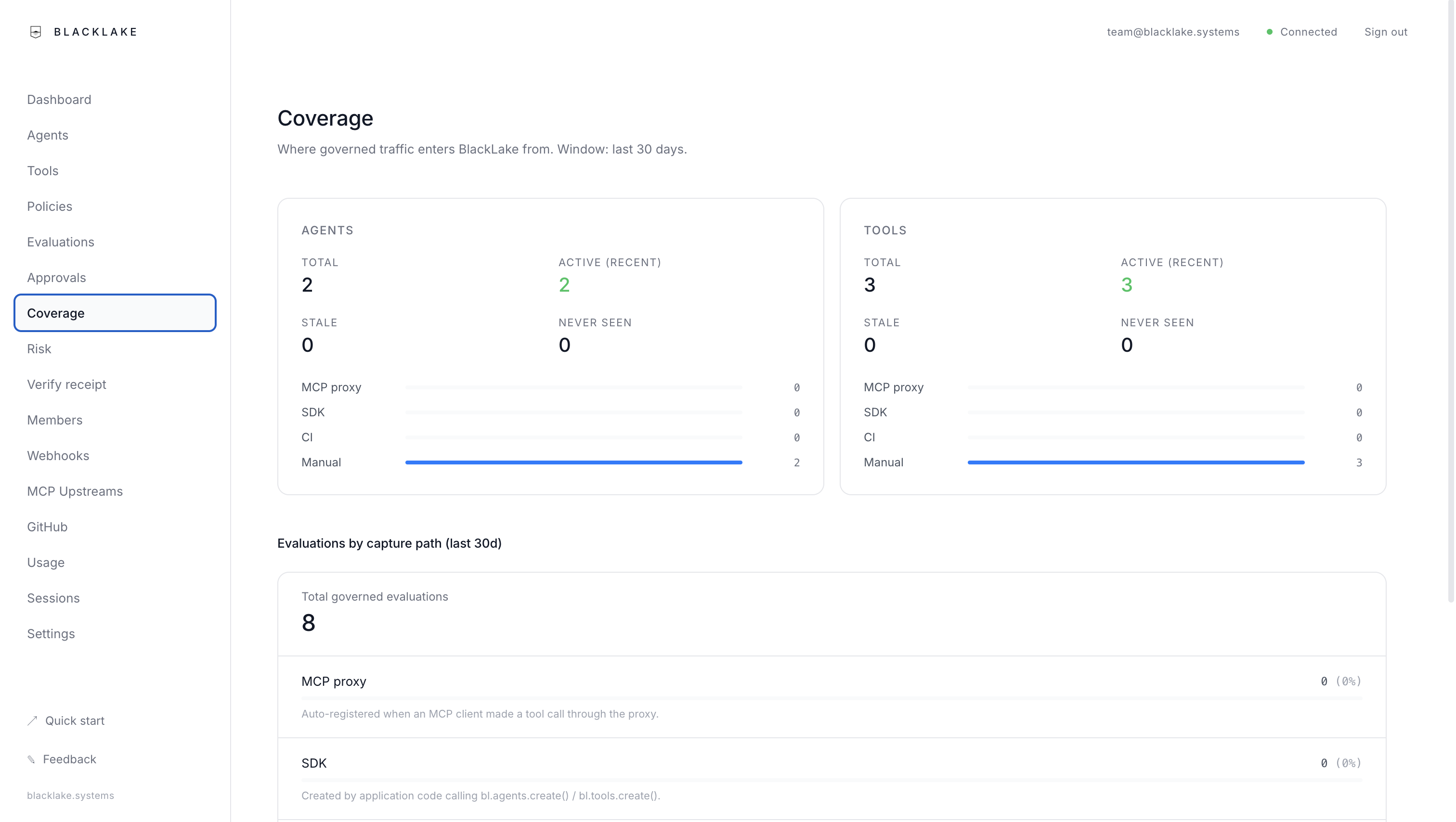
BlackLake captures AI actions wherever they originate: your IDE, your CI, your shell, your cloud, your code. One ledger, end to end.
- →Capture-path attribution: IDE vs CI vs shell vs cloud vs SDK.
- →Per-call cost attributed to AI Actor, tool, model, and user.
- →Stale and never-seen counts surface blind spots.
02
Step 02
Govern
Allow, deny, approve.
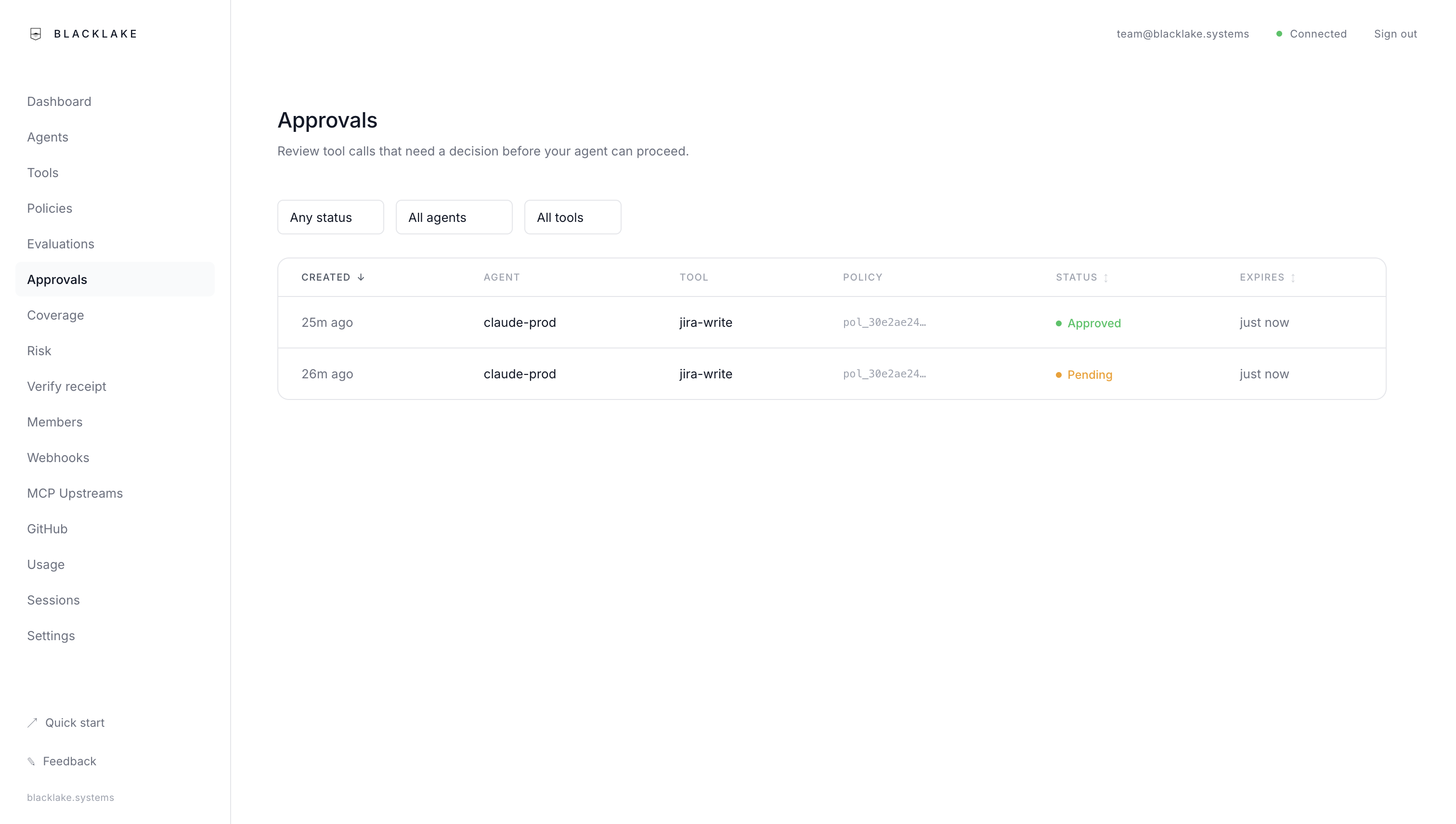
Declarative policies decide every call. Two-person approval, break-glass, magic-link approvals from email or mobile. Simulate a draft policy against weeks of history before you ship it.
- →Cost-aware policies that deny before the LLM call.
- →Policy simulation with dollar-impact estimates.
- →Approver roles, two-person, break-glass.
03
Step 03
Cost
Cap and attribute every dollar.
Per-call cost across Anthropic, OpenAI, Vertex, Bedrock, Foundry, Gemini, and Ollama. Budgets scoped to workspace, AI Actor, tool, or user deny at govern() time, before the spend. Cost is cryptographically bound into every receipt by v2 decision tokens.
- →Budgets that deny pre-spend at govern() time.
- →Spend by provider, model, AI Actor, tool, user.
- →Signed CSV / NDJSON exports for finance, SIEM, BigQuery.
04
Step 04
Prove
Signed receipts: independently verifiable.
Every decision returns an HMAC-signed receipt binding the evaluation, policy snapshot, approvers, outcome, and cost. AI can hallucinate compliance; receipts prove the decision. Anyone with the workspace key can verify a receipt: paste it into /verify and the chain reads back.
- →v2 decision tokens bind cost to every receipt: verifiable independently.
- →Signed audit exports for evaluations, approvals, results, cost.
- →Public verify endpoint: paste a receipt, read the chain.
Who reads the AI ledger
Four buyers. One ledger.
AI control and analytics is read by the same organisations that already read finance and security data: every consequential AI action, on one record, attributable, verifiable, exportable.
Security & Compliance
Prove every AI decision was allowed. Receipts are HMAC-signed, the policy snapshot is bound at decision time, and the chain is independently verifiable.
Learn more →Finance & FinOps
Cap and attribute every dollar of AI spend. Budgets deny pre-spend at govern() time. Signed CSV / NDJSON exports for finance and procurement.
Learn more →Engineering Leadership
Govern Claude Code, Cursor, CI bots, and custom agents through one policy: the surface where consequential AI work already happens.
Learn more →Operations & GRC
Audit-ready evidence for AI-operated work. Stream the ledger to BigQuery or your SIEM. Receipts customers and auditors can verify themselves.
Learn more →Wire it up
Capture AI actions wherever they originate
One ledger across every path. Hosted or local, same control layer.
Sign up to the cloud, or install locally
Sign up at console.blacklake.systems for the hosted control plane, or install theblacklakepackage to run the SDK, CLI, workflow runtime, andblxlocally. Same policy, approval, budget, and receipt model.
One install: Surface + Depth
npm i blacklake # Surface SDK + Depth SDK + CLI + workflow runtime + blxnpx blacklake serve # local Surface API + dashboard + SQLitenpx blacklake run workflow.tsRoute AI work through BlackLake
Pick the path that fits each AI tool or workflow. The dashboard shows what’s governed and what’s observed-but-uncovered, so you can close the gap one source at a time.
- IDE / coding tools: MCP gateway for Cursor, Windsurf, Claude Desktop, Claude Code, Codex.
- Code (SDK): wrap any application call with
govern(). - CI: gate a deploy step and tie the run outcome to the receipt.
- Shell:
blxwrapsgit push,terraform apply,gcloud run deploy, and the like. - Cloud: push GCP / AWS / GitHub audit events; reconciliation flags ungoverned production mutations.
MCP configuration: the easiest first path
// ~/.blacklake/mcp-config.json{ "servers": { "filesystem": { "command": "npx", "args": ["-y", "@modelcontextprotocol/server-filesystem", "."], "policy": "ask" }, "github": { "command": "npx", "args": ["-y", "@modelcontextprotocol/server-github"], "policy": "allow" } }}See everything. Control what matters.
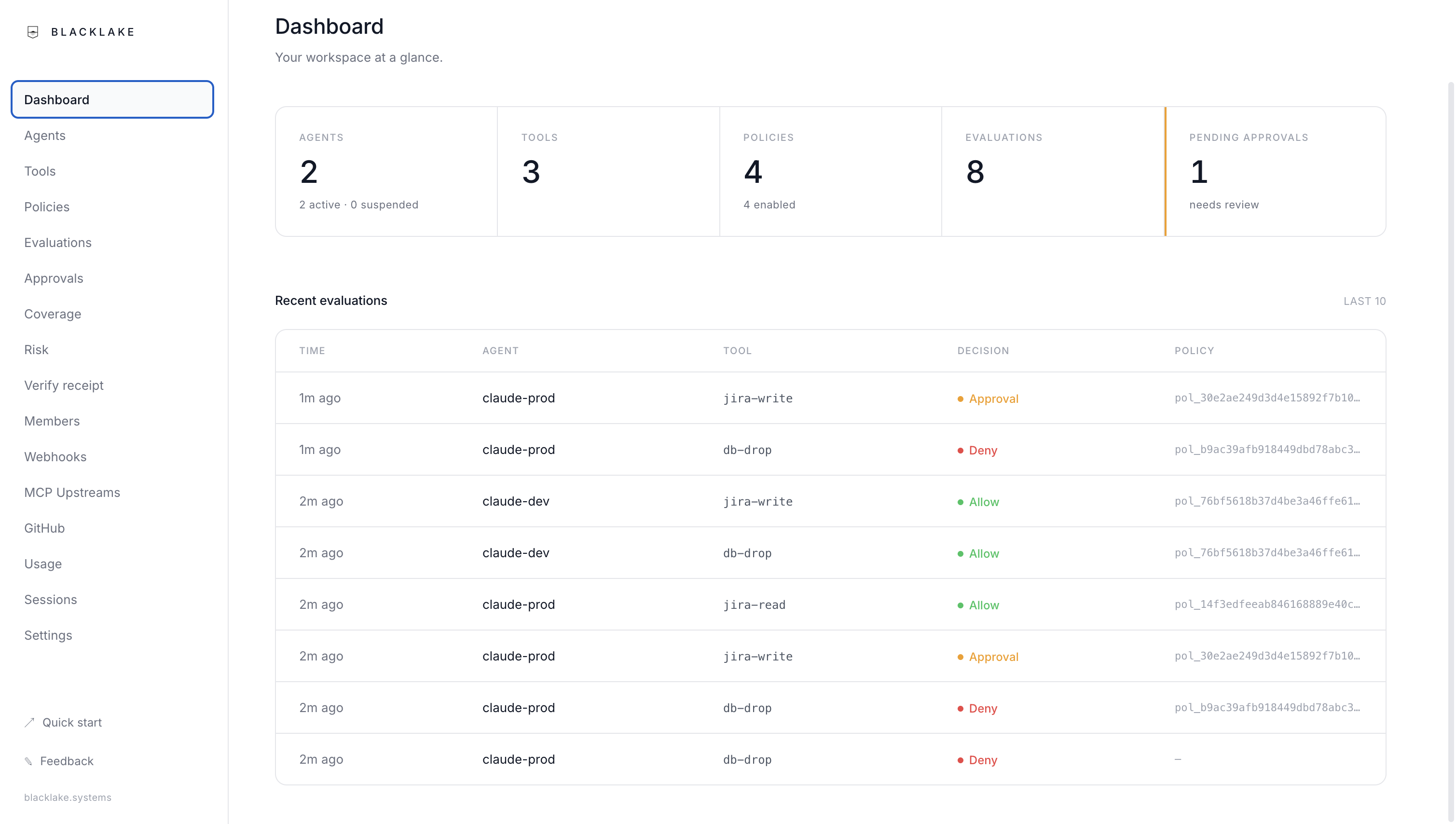
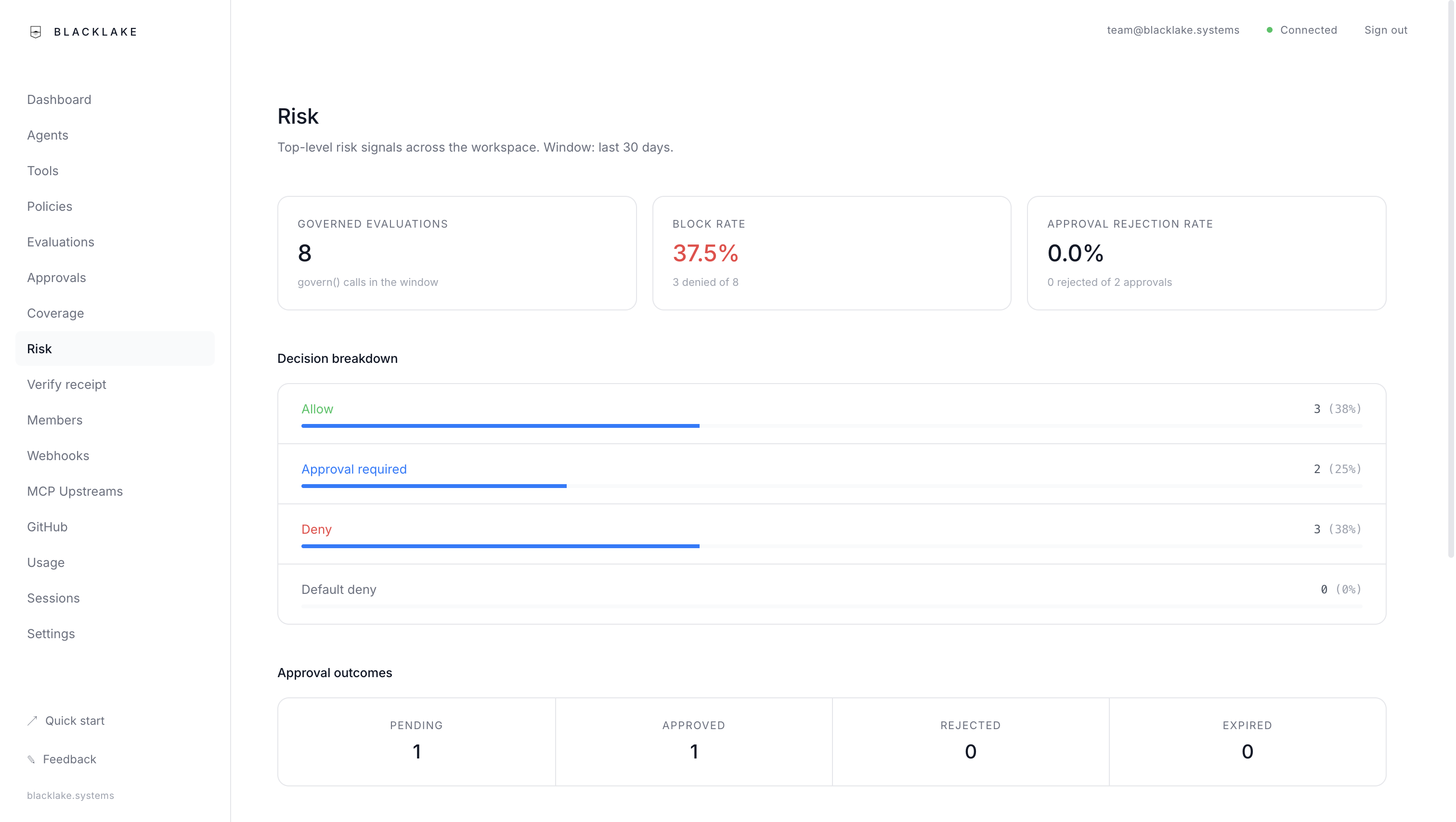
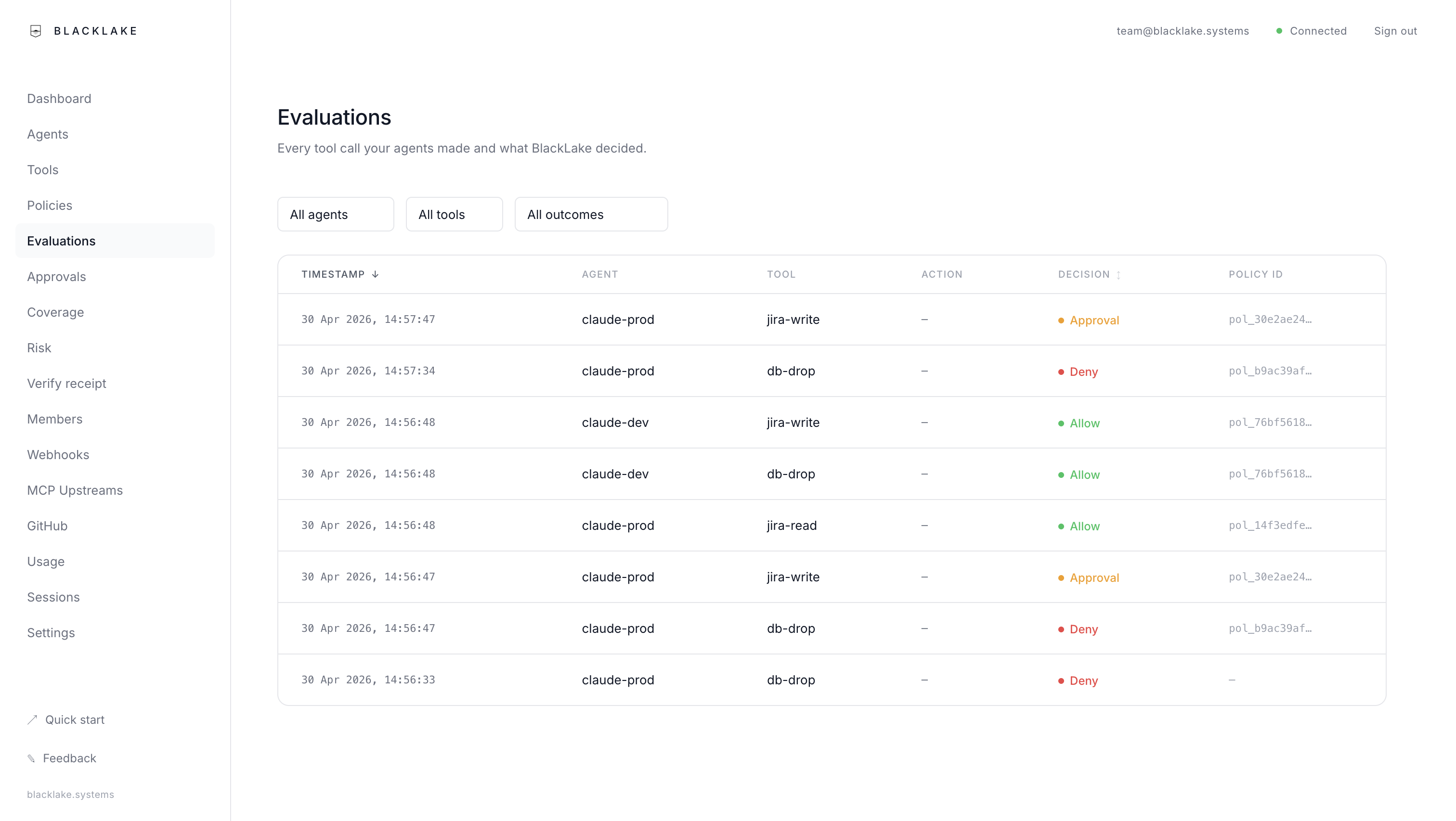
The dashboard shows every governed action, every approval, every denied request. Coverage tells you which actors are routed through which path; the risk view surfaces top denied actors and high-risk tools. Simulate a draft policy against weeks of history before you ship it. Export the full ledger as newline-delimited JSON when an auditor asks.
Depth
AI workflows that resume from the last completed step
Write workflows as TypeScript functions, checkpoint each step, resume from the last one if something crashes. Each consequential step routes through the same policy, approval, budget, and signed-receipt model as anything else in BlackLake.
Run a workflow file
Workflows are TypeScript files with step() calls. Run them with the same package, no separate install.
Workflow runtime
npx blacklake run workflow.tsWrite workflows as functions
Each step() call is atomic. Completed steps are checkpointed to disk. If the process dies partway through, re-running replays from the last checkpoint.
Durable workflow
import { workflow, step } from 'blacklake';export default workflow('research', async (ctx) => { const data = await step(ctx, 'gather', async () => { return await ctx.llm('anthropic:claude-sonnet-4-6', { prompt: 'Find recent papers on AI governance', }); }); await step(ctx, 'save', async () => { await ctx.tool('filesystem.writeFile', { path: './report.md', content: data, }); });});Workflows govern like any other AI action
When BlackLake is running, tool calls in your workflows route through the governance engine automatically. Costs appear in the same dashboard. Approvals block the workflow until a human decides.
Step-based execution
Write workflows as TypeScript async functions. Each step persists to disk as it completes.
Crash recovery
If the process dies, re-run the file. Completed steps replay from SQLite instantly. No work is lost.
LLM routing
Call Anthropic, OpenAI, or Ollama with one API. Bring your own credentials.
Typed errors
ToolDeniedError, ToolNotFoundError, SurfaceUnavailableError, not generic catches.
Run your AI control plane from the cloud.
Cloud is the fastest way to start: shared controls, managed MCP gateway, approval delivery, and a retained audit archive from day one. No infrastructure to run.
Prefer to run locally first? See the self-host guide